Document Reader: PDF, Word Doc27.3.0
Publisher Description
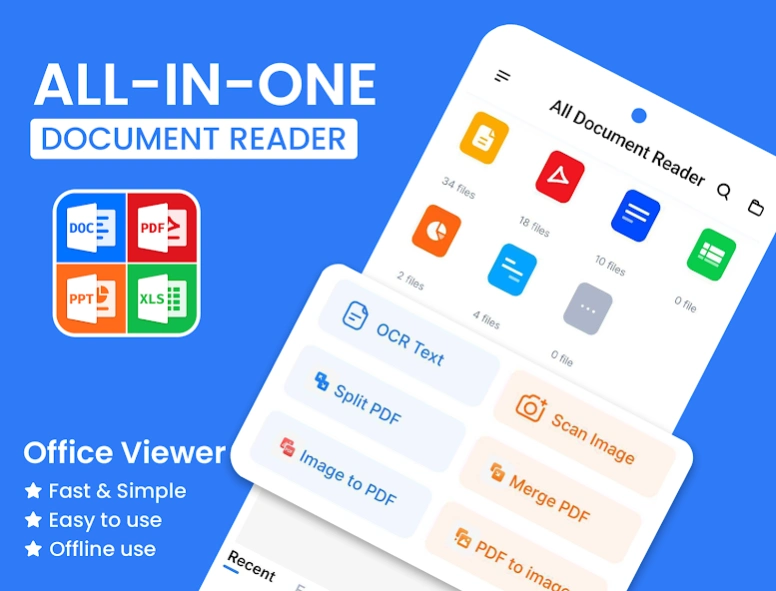


Document Reader: Read DOCX & PDF, PPT, TXT, XLSX
Document Reader: PDF, Word Doc is an all-in-one office document reader that helps you open, read and manage documents on your Android device. Access PDF files, Word documents, Excel spreadsheets, PowerPoint presentations and other common office file formats in one simple app.
Whether you're reviewing work files, reading study materials or checking presentations, Document Reader gives you a fast and convenient way to view your documents anytime, anywhere.
Main features
• Open and read PDF, DOC, DOCX, XLS, XLSX, PPT, PPTX, PPS, TXT, HWP, ODT and ZIP files.
• Automatically scan and organize documents stored on your device.
• Search files quickly and browse documents by folder.
• Mark important files as Favorites for faster access.
• View recently opened documents.
• Share documents easily through email, messaging apps, Bluetooth or cloud storage.
📕PDF Reader
Read PDF documents with a clean and easy-to-use interface.
• Open PDF files instantly.
• Smooth scrolling and zoom controls.
• Search within PDF documents.
• Print or share PDF files with ease.
• Read eBooks and digital documents comfortably.
📝Word Document Reader
Open DOC and DOCX files while preserving formatting for a better reading experience.
• View Word documents without editing.
• Navigate long documents smoothly.
• Search for specific content quickly.
📊Excel Spreadsheet Viewer
View Excel spreadsheets directly on your device.
• Open XLS and XLSX files.
• Read tables, reports and worksheets clearly.
• Browse spreadsheets with smooth performance.
📽️PowerPoint Viewer
Read presentation files wherever you are.
• Open PPT, PPTX and PPS files.
• View presentation slides with clear layouts.
• Navigate slides quickly and easily.
📤Document Manager
Keep all your office documents organized in one place.
• Automatically detect supported files.
• Browse documents by folder.
• Find files instantly with search.
• Access recent and favorite documents anytime.
Why choose Document Reader?
• Read multiple office document formats in one app.
• Fast document loading.
• Simple and intuitive interface.
• Lightweight and easy to use.
• Convenient file management for everyday work and study.
Download Document Reader: PDF, Word Doc today and enjoy an easier way to read, organize and manage your office documents.
About Document Reader: PDF, Word Doc
The company that develops Document Reader: PDF, Word Doc is iKame Applications - Begamob Apps. The latest version released by its developer is 27.3.0.
To install Document Reader: PDF, Word Doc on your Android device, just click the green Continue To App button above to start the installation process. The app is listed on our website since 2026-08-25 and was downloaded 6 times. We have already checked if the download link is safe, however for your own protection we recommend that you scan the downloaded app with your antivirus. Your antivirus may detect the Document Reader: PDF, Word Doc as malware as malware if the download link to com.alldocument.allfile.office.editor is broken.
How to install Document Reader: PDF, Word Doc on your Android device:
- Click on the Continue To App button on our website. This will redirect you to Google Play.
- Once the Document Reader: PDF, Word Doc is shown in the Google Play listing of your Android device, you can start its download and installation. Tap on the Install button located below the search bar and to the right of the app icon.
- A pop-up window with the permissions required by Document Reader: PDF, Word Doc will be shown. Click on Accept to continue the process.
- Document Reader: PDF, Word Doc will be downloaded onto your device, displaying a progress. Once the download completes, the installation will start and you'll get a notification after the installation is finished.
Program Details
System requirements
Download information
Pricing
Version History
version 27.3.0
posted on 2026-08-25
version 27.2.8
posted on 2026-07-19
- Convert image to PDF quickly
- Scan documents into PDF
- Read PDF and view PDF features are enhanced.
- Fix current bugs and improve user experience.
- Rename files easily
- Support multiple languages
version 26.9.5
posted on 2025-06-13
document-1/release_v26.9.5
version 26.8.5
posted on 2025-05-14
document-1/release_v26.8.5
version 26.8.1
posted on 2025-04-29
document-1/release_v26.8.1
version 26.7.8
posted on 2025-04-18
document-1/release_v26.7.8
version 26.7.7
posted on 2025-04-08
document-1/release_v26.7.7
version 26.7.3
posted on 2025-04-01
document-1/release_v26.7.3_2
